By doing this first you will cut the time it takes to do your MCR in half!


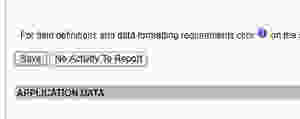
The very first thing I do is I click the button that says "No Activity To Report" and this will fill everything in with Zeros before I start entering in the data. Then click "Save".
If you don't click it at the beginning you will have to type all those zeros in every section that doesn't have relevance to your applications and loans. So do this part first every time. Now, this is where I ask the programmers at NMLS a question. Why isn't there a button that says "Fill in the blanks with Zeros"? like there is in the financial condition reports?


No comments:
Post a Comment